Weekly updates (26 Jul '24)
We’re thrilled to share some fantastic updates our development team has rolled out over the past week. These improvements are designed to make your experience smoother and more efficient. Here’s what’s new:
Centralized Tag Configuration 🎉
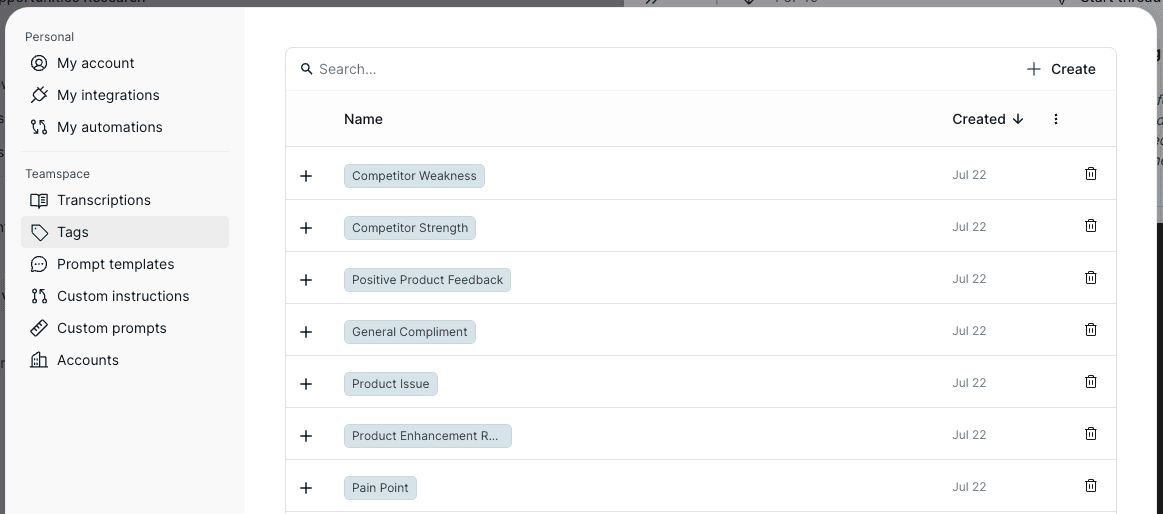
We’ve centralized the tag configuration in the Settings Dialog for easier management. Previously, tags were intended to function like Twitter hashtags, but our users primarily adopt one of two approaches: creating a central taxonomy upfront or relying solely on AI-assigned tags. The new centralized system accommodates both patterns seamlessly. Access the tag configurations by opening the Settings Dialog and navigating to “Project > Tags.” You can also access it by clicking on any tag in an editable context.
AI-Powered Highlight Classification 🎉
Our AI now automatically classifies new highlights, identifying whether they represent a User Pain or a Product Enhancement. This means more accurate tagging and better organization. The AI-assigned tags are fully customizable—you can rename them, change their colors, and search and filter based on these tags in both the Highlight Library and Threads.
Auto-Tagging Based on Search Terms 🎉
Now you can set up tags that automatically apply based on search terms. For instance, create tags for your competitors, and any highlight mentioning a competitor will be tagged accordingly. This feature is lightning-fast and cost-effective, working not just for new highlights but also retroactively for all existing ones. Configure your search terms in the Settings Dialog under Tags, and watch the magic happen in less than 30 seconds.
