Transparent agent reasoning, Smarter data retrieval, Better debugging in the playground, Source breakdowns
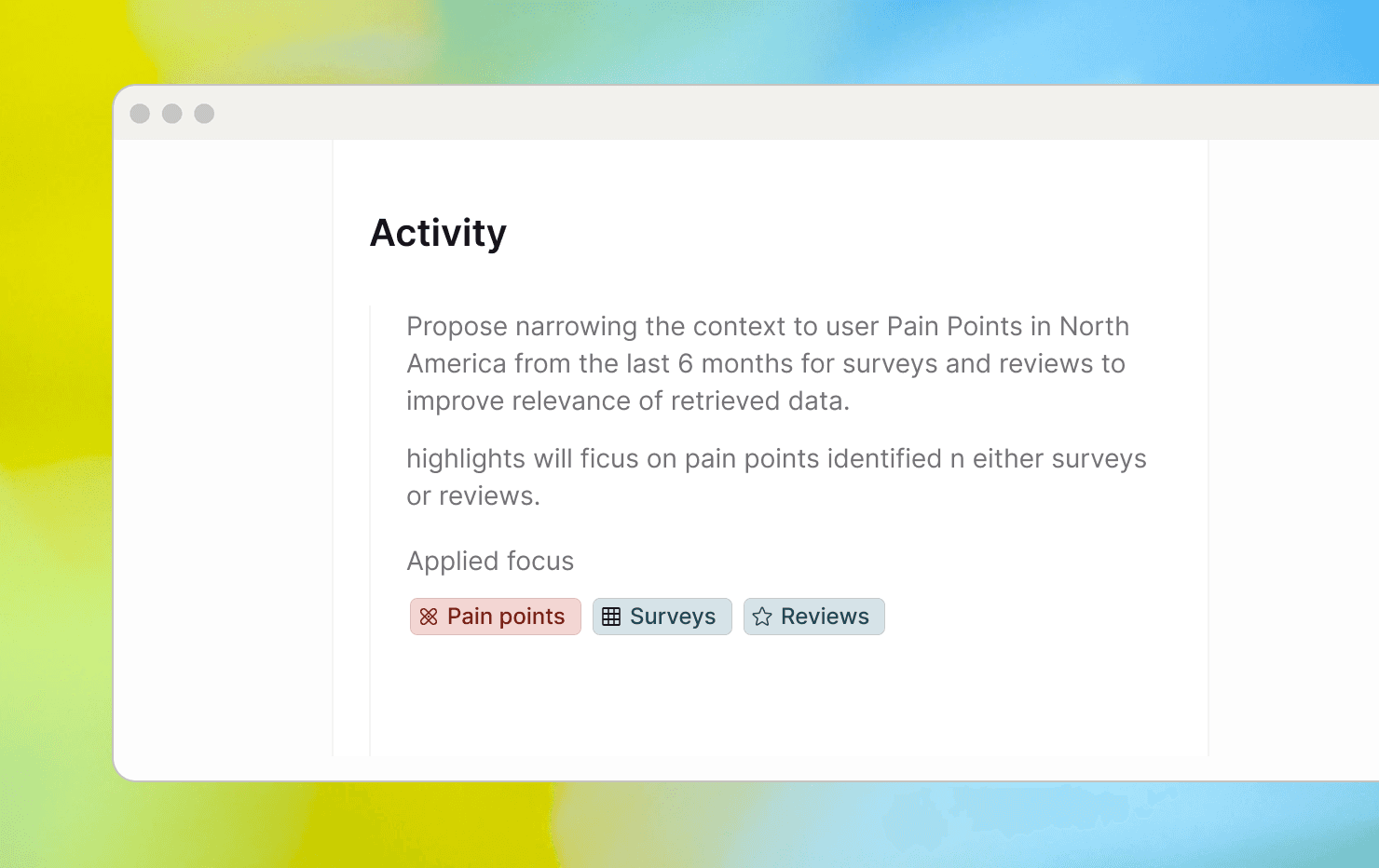
Agents find the right data faster
Every agent run starts with data retrieval — pulling the right data to ground its analysis. That retrieval got a major upgrade this week:
Filters that match how you think. Tag-based filtering used to be all-or-nothing — either every tag had to match (too strict, often zero results) or any tag could match (too loose, noisy results). The agent now applies both strategies in the same query: it treats tags within a category as alternatives (e.g., brand: Neff or Siemens) and requires matches across categories (e.g., brand and product area). The result is a filter that works the way you'd naturally combine criteria.
Retrieval guided by intent, not phrasing. Previously, the agent turned your full prompt into a search query — meaning conversational phrasing, extra context, or detailed instructions would over-constrain results and bury what you actually needed. The agent now distills your input down to the core topic before searching, so results reflect what you're investigating rather than how you worded it.
Search terms visible in Focus. Focus filters now display the actual search term the agent used — with a magnifier icon and a tooltip for longer queries — replacing the generic "prompt filter" label. No more guessing what's shaping your results.
Follow how the agent reasons
You can now follow the agent's full chain of reasoning — from the data it selected to the decisions it made — without jumping between panels:
Focus in every step. The plan view now shows which Focus the agent applied at each step, so you always know what data it's working with — without switching to Activity.
One place for Focus. Focus now lives exclusively in the Plan — a single, unambiguous source of truth.
Full history of Focus decisions. The Activities panel now captures both what the agent suggested and what was actually applied, with clear labels showing whether the Focus was confirmed or changed. Reviewing past runs — or helping a teammate retrace their steps — takes a glance instead of detective work.
Open the agent's Activity from the Plan. Opening agent activity has moved out of the main page and into the plan.
Smarter tag debugging in the playground
Testing and refining tag configurations in the playground is now faster and more informative:
Simulations free from job filters. Job-level filters like date ranges and metadata constraints used to block playground simulations, causing tags to fail for reasons that had nothing to do with the tag itself. Simulations now bypass these filters entirely, so results reflect your tag logic — nothing else.
Plain-language explanations for every tag decision. Each result now tells you why a tag was assigned or skipped — showing how the tag definition relates to the highlight in plain language. Spotting a mismatch and knowing what to fix no longer requires switching to an external tool or guessing.
Clean results, focused on what needs attention. Passing checks now show a simple success status instead of a full explanation, so the view stays clean and your eye goes straight to what failed. The exception is Smart Reviews, where the explanation is always shown — since understanding how the AI interprets your success criteria is part of the value.
Breakdown by source
When a topic surfaces across multiple data sources/channels/integrations, it hasn't always been obvious which sources are actually contributing — and by how much. A new source breakdown is now available in dashboards and Cluster mode, showing exactly where your data come from. You can quickly identify which sources carry the most signal, compare coverage across sources, and decide where to dig deeper.