Reliable task planning, Accurate focus display, Planner smart suggests focus for empty results
Tasks plan and execute without extra prompts
The Planner now runs each step in the right order — and only asks for your input once.
Narrowing always happens first. The Planner used to occasionally skip the narrowing step and jump straight into building clusters, only to realize it didn't have the data it needed. That loop is gone. The Planner now narrows down the relevant highlights before doing anything else, so plans land on the first attempt instead of cycling through retries.
One confirmation, not two. Confirming your focus used to be unreliable — in some cases you'd confirm once, only to be prompted again after clusters were already built. Switching between tasks or reopening one could also wipe out the response that was already on screen. Focus confirmation now sticks: once you confirm, your answer and clusters persist, and moving between tasks won't reset anything or trigger a second approval.
Focus shows exactly what data the agent is working with
When a task runs, the focus indicator now reflects the actual scope of the data — not an assumption or a premature label.
Scope appears only after narrowing completes. You used to see labels like "Entire teamspace" before the agent had finished determining scope, which made it unclear whether the results were truly teamspace-wide or still loading. The focus label now waits until narrowing is done — or until you set it yourself — so what you see is what the agent actually used.
Teamspace-wide searches read clearly. When a task covers the full teamspace, the thinking panel now says so directly instead of showing "0" — which previously made it look like nothing was found. Narrower scopes still show exact highlight counts where available.
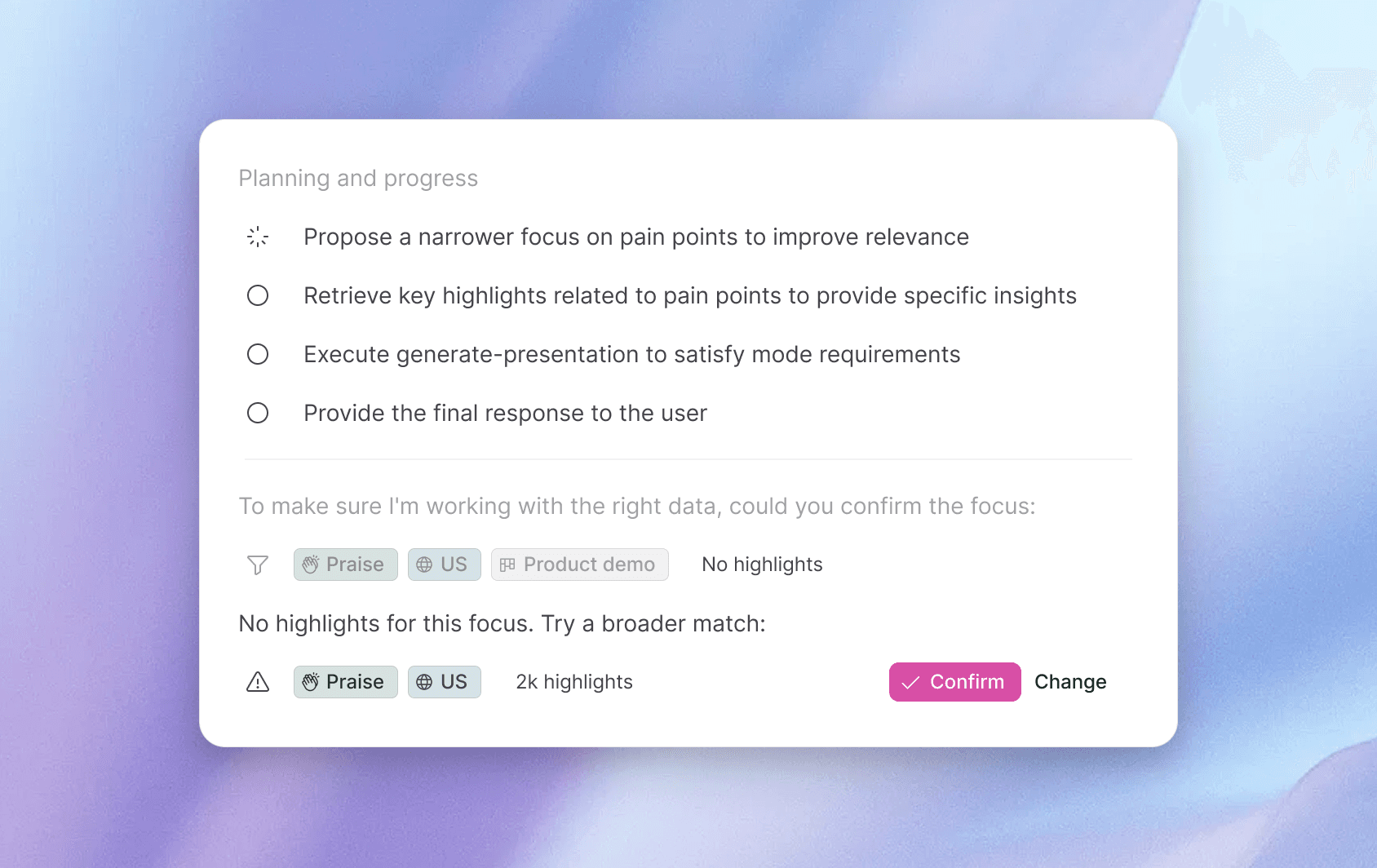
Smart suggestions when a focus returns no data
When a focus combination returns zero data, the task now suggests ways to adjust — broadening the timeframe or relaxing less critical tags — so you can find relevant data without manually experimenting with different filter combinations. Instead of a dead end, you get a starting point for your next try.