Web Search in Chat, Improved Data Retrieval, Richer Imports from Intercom and Salesforce
Another week, another set of improvements - focused on precision, control, and reducing manual effort. Here’s what’s new 👇
Web Search in Chat
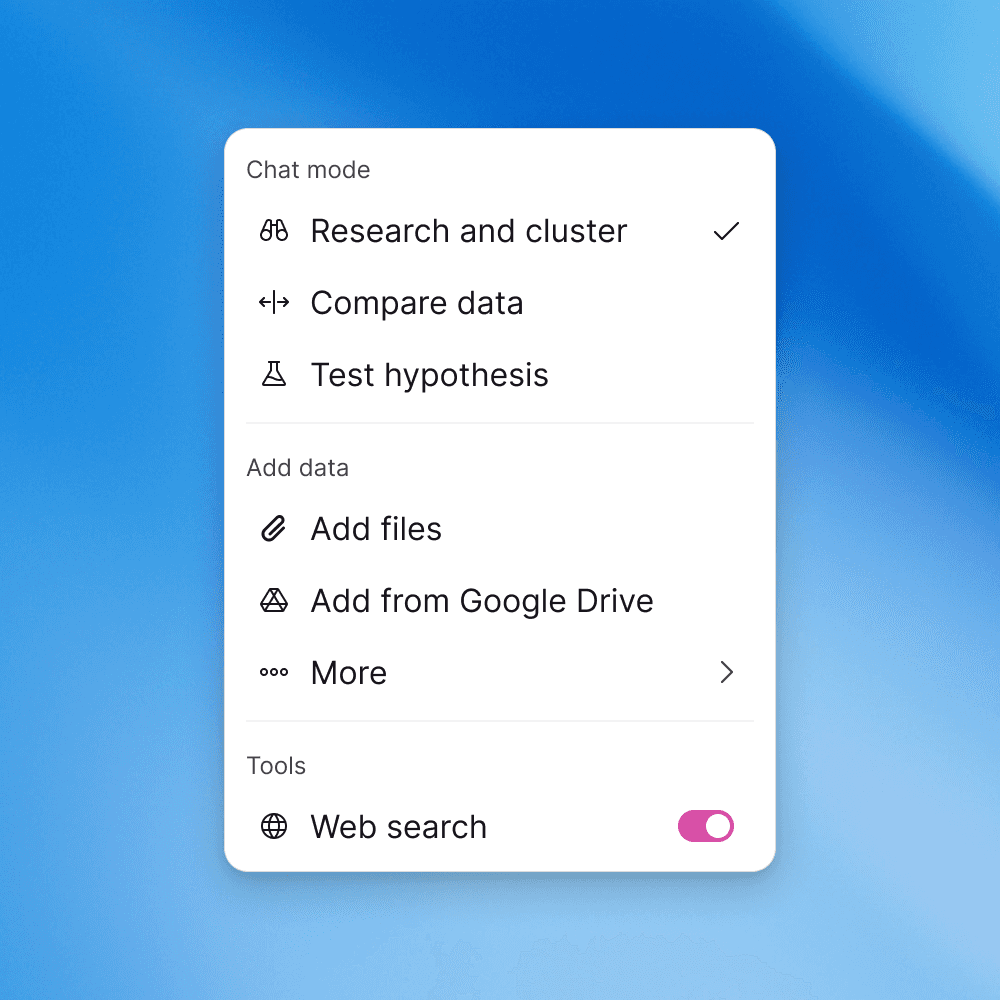
You can now explicitly force web search when asking a question in chat.
By default, nothing changes - the AI still decides when external information is needed. But when you turn web search on, the system will always consult external sources as part of its reasoning.
This is perfect for questions where you know up-to-date or external information is required and want full confidence that the web is included - no guesswork.
Less Manual Work for High-Quality Auto-Narrowing on Tags
Tag descriptions play a critical role in auto-narrowing - but maintaining them manually doesn’t scale.
From now on, tag descriptions are generated automatically by AI when tags are created. These descriptions capture meaning, context, and synonyms beyond the tag name itself, helping the system distinguish between similar or overlapping tags.
The result: more precise narrowing and better answers - without extra configuration.
You can still review and edit descriptions anytime in the UI.
Filter by Absolute Date Ranges, Made Easy
Filtering by date just became far more intuitive.
You can now use clear, ISO-style calendar ranges like:date:2025_12_01-2025_12_31
This makes common queries such as “all of 2024,” “Q1 2025,” or “Jan 1–Dec 5” simple and readable - no timestamp math required.
Relative filters (like “last 3 months”) continue to work as before. This update simply adds a more human-friendly option when precision matters.

Advanced Filtering for Intercom Imports
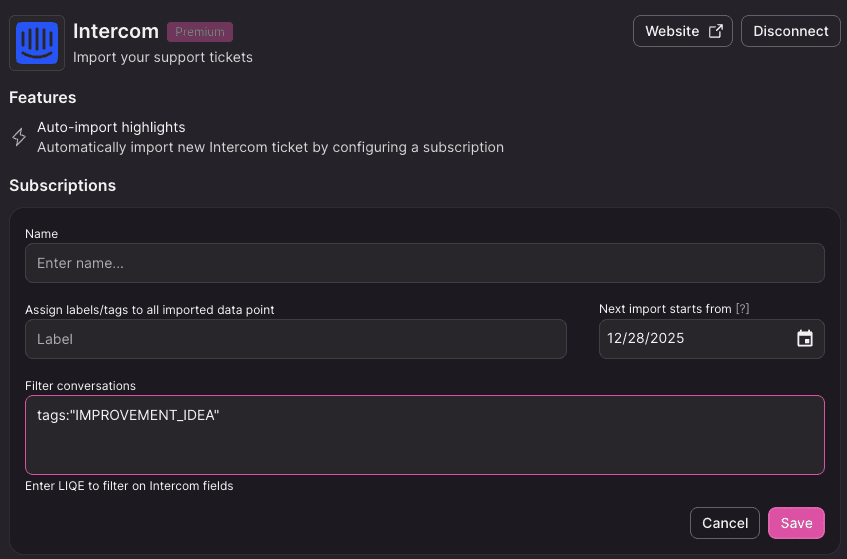
Intercom imports now support pre-filtering conversations by tag.
Instead of importing everything, you can pull in only what matters - for example, conversations tagged with IMPROVEMENT_IDEA. The setup supports flexible LIQE filters like:tags:"IMPROVEMENT_IDEA"
The payoff: cleaner imports, less noise, and datasets that are already aligned with your goals.
Richer Survey Context in Salesforce Marketing Cloud Imports
Salesforce Marketing Cloud importsFgif now include human-readable survey question names.
By passing “pretty” question fields (e.g. q1_question_translation), NEXT automatically pairs them with their corresponding answers during import.
This gives both humans and AI much better context - leading to more accurate understanding of feedback and easier interpretation of survey data, without changing any existing endpoints or credentials.
More precision. Less manual work. Better answers.
Stay tuned - there’s more coming 🚀