Data retrieval error rate <5% , PDF support in data, Sticky chat context, New tools in chat, Simpler prompt bar
Data retrieval error rate now <5%
Chat is only as good as the data it can retrieve. When you’re working with large volumes of customer feedback (pretty much anything above the LLM's context window), the hard part isn’t generating an answer — it’s reliably pulling the right/relevant data from which to generate the answer.
This is where hallucinations comes from.
This week our platform hit a major milestone: data retrieval error rate is now below 5%. That means NEXT AI’s chat can find and retrieve the relevant data it needs with industry-leading accuracy. Answers are noticeably more precise, less noisy, and more useful. Better retrieval → better evidence → better answers.
PDF support
Upload PDF files to NEXT and watch it neatly extract all the structured text and tables so they’re searchable and analyzable just like any other source in NEXT. This unlocks a big new pocket of evidence: feedback that used to be “locked” in PDFs can now power analysis—helping teams spot patterns earlier, and make more predictive decisions from previously hard-to-use inputs.
PDF support is available to Enterprise customers.
Full customer quotes now in all highlight dialogs
The highlight dialog now shows the complete quote, making long highlights (survey responses, call snippets, tickets, forum posts) much easier to read and understand. To keep the highlights library clean and fast, we no longer render full quotes there—resulting in easy scanning, faster loading, and smoother scrolling on large datasets.
Sticky chat context
When you select a data source in chat (like a specific survey), that selection is now preserved across follow-up questions.
You can start by choosing a source, ask an initial question, and keep refining—without the chat silently switching/resetting context. Any new sources you add later are added to the context rather than replacing it. The chat is more predictable and consistent—follow-ups stay grounded in exactly the data you chose.
Explicit Data Source Selection in Chat
Previously, chat could implicitly have access to all available sources (surveys, G Drive, Confluence, etc.). Now, the AI is limited to the inputs you explicitly opt into for that chat. This makes it much clearer where answers are coming from, improves trust, and better aligns with enterprise expectations around data access and privacy. Conversations become more predictable, more explainable, and easier to reason about—with no hidden data pulled in behind the scenes.
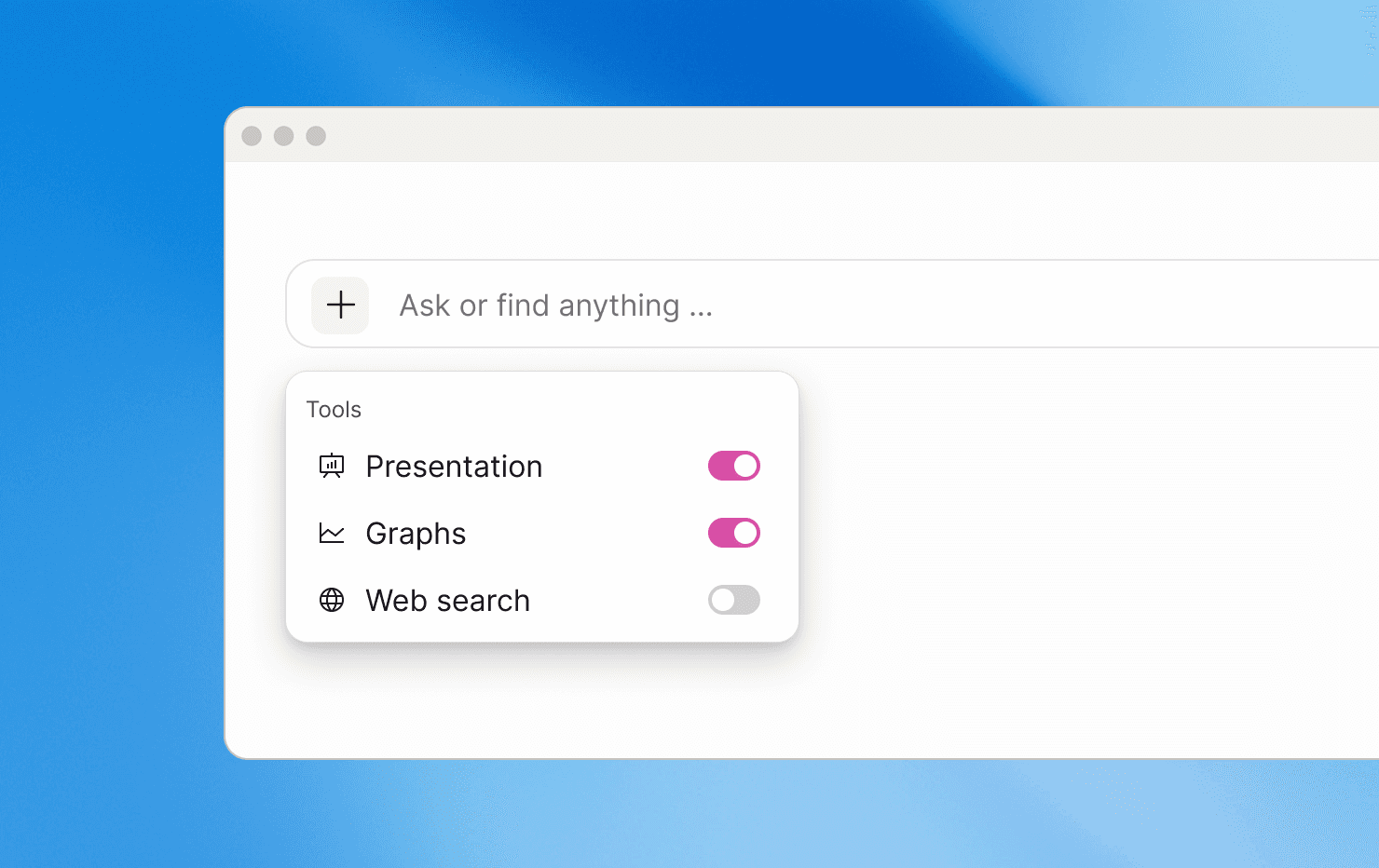
New tools in chat: Presentations & Graphs
Two new tools are now available in chat:
Presentation generates a ready-to-use slide deck from your question.
Graph plots your response on a chart, ideal for visual analysis and sharing.
When selected, the chat uses the tools to produce the output requested—no extra prompting needed. A faster path from feedback to shareable artifacts.
Simpler prompt bar
We simplified the prompt experience to keep onboarding and day-one usage easy and clear. These updates keep attention where it matters and make the starting experience more streamlined and intuitive.
Easier account search
Searching for accounts now works the way users expect: as you type, results match by prefix, so it’s much easier to quickly find the right account — even in teamspaces with thousands of accounts.