Human-in-the-loop in chat, GPT 5.2, Share to Lovable, Support for quant data from SFMC, Better data/range handling, Survey-level context, Upload accounts with CSV, Quicker access to quotes
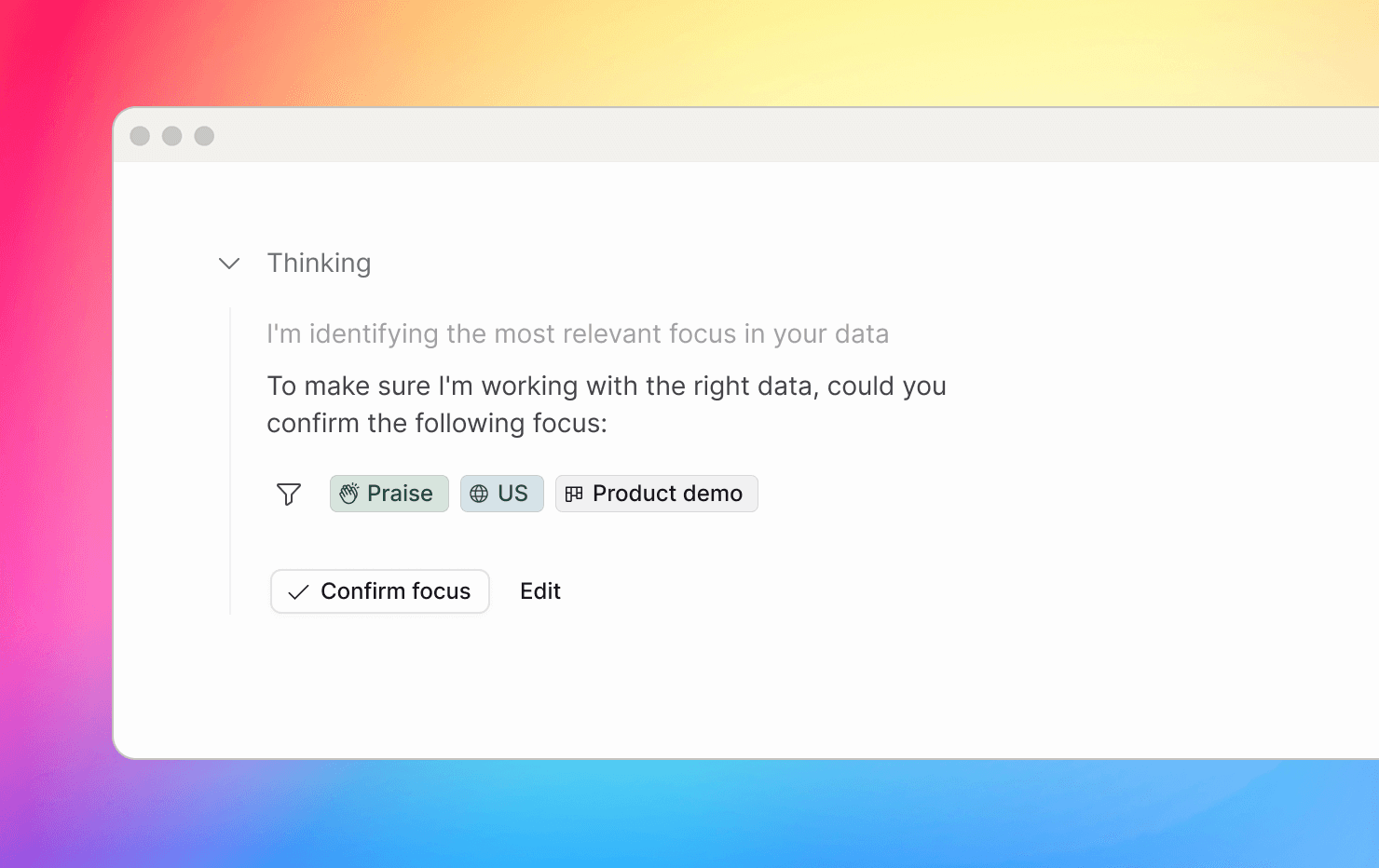
Human-in-the-loop in chat (for agentic tasks)
We improved how chat decides what data to focus on for agentic tasks. Previously, it would auto-narrow the scope, which worked most of the time but sometimes picked the wrong focus. Now, when you prompt, chat proposes a focus (topic, product area, date/range, segment, etc.) and pauses so you can confirm or adjust before it runs. Chat then resumes from that point—so results are more accurate, the scope is explicit, and there’s less guesswork.
Better date filtering: calendar vs. rolling periods
Relative filters like “last month” were often read as calendar periods while the system treated them as rolling windows. We now make the distinction explicit, removing ambiguity around month/year boundaries.
Chat now runs on GPT-5.2
We upgraded chat completions to GPT-5.2 to improve recall in detail-heavy workflows. Outputs are more complete and better grounded when you ask for thorough coverage.
Chat support for quant data for Salesforce Marketing Cloud surveys
Many SFMC surveys are mostly scores and selections, with little or no open text. We now transform SFMC survey data into structured raw datasets, making quantitative responses fully queryable (totals, averages, distributions, and breakdowns by attributes like country). Teams can analyze survey metrics at scale and combine them with qualitative insights for more reliable reporting.
Quant-only SFMC responses no longer create highlights
Some SFMC responses contain only numeric scores with no comments, which can create noisy, generic highlights. We now exclude quantitative-only responses without open comments from becoming highlights—so datasets stay focused on actionable written feedback.
Survey-level context
Short answers like “I like it” are hard to interpret without context. You can now provide survey-level context (name, purpose, evaluated feature) for ingestion—giving a stronger foundation without changing the original response.
Share chats directly to Lovable
You can now share a chat response directly to Lovable to kick off a prototyping session based on the conversation—making it faster to move from customer feedback to a working product idea.
Lovable connection is an enterprise feature. Contact success@nextapp.co for access.
Import accounts via CSV
You can now upload Accounts via CSV and control account IDs as part of the import. This makes it easy to link recordings and highlights to the right accounts and keep analysis consistent. See docs for more.
… and a few improvements
Manual sharing to Microsoft Teams
Last week we added Teams for automations. Now you can also manually share highlights, clusters, and chats to Microsoft Teams.
Better control of response format in chat
Chat will no longer produce clusters or comparisons on its own—making behavior more predictable and keeping deep analysis under your control. Choose a mode for advances responses.
Faster access to highlight quotes for video/audio items
Media highlights now show the full quote alongside the audio/video in the highlight dialog, so you can scan what was said without pressing play.