Chat now frames results by focus size, Manage roles per teamspace, Faster AI tuning in playground, New transcription models, Bulk-edit Highlights in one go, improved REST API & Developer docs, Clearer search bar experience, and better error handling in chat
Bulk edit Highlight metadata
Teams often need to keep highlight metadata consistent across large datasets, but updating fields like accounts or source used to be slow and manual. You can now select multiple Highlights and apply metadata updates in one step. This makes it practical to clean up historical data, keep properties aligned as datasets grow, and maintain reliable structure for downstream analysis.
Teamspace roles & permissions
Organizations want different access levels by Teamspace, but roles were previously harder to manage without over-permissioning. Roles can now be managed at the Teamspace level, so a user can be an admin in one Teamspace and read-only or guest in another. This gives tighter control and prevents granting broader access than needed.
Chat can reflect on its Focus
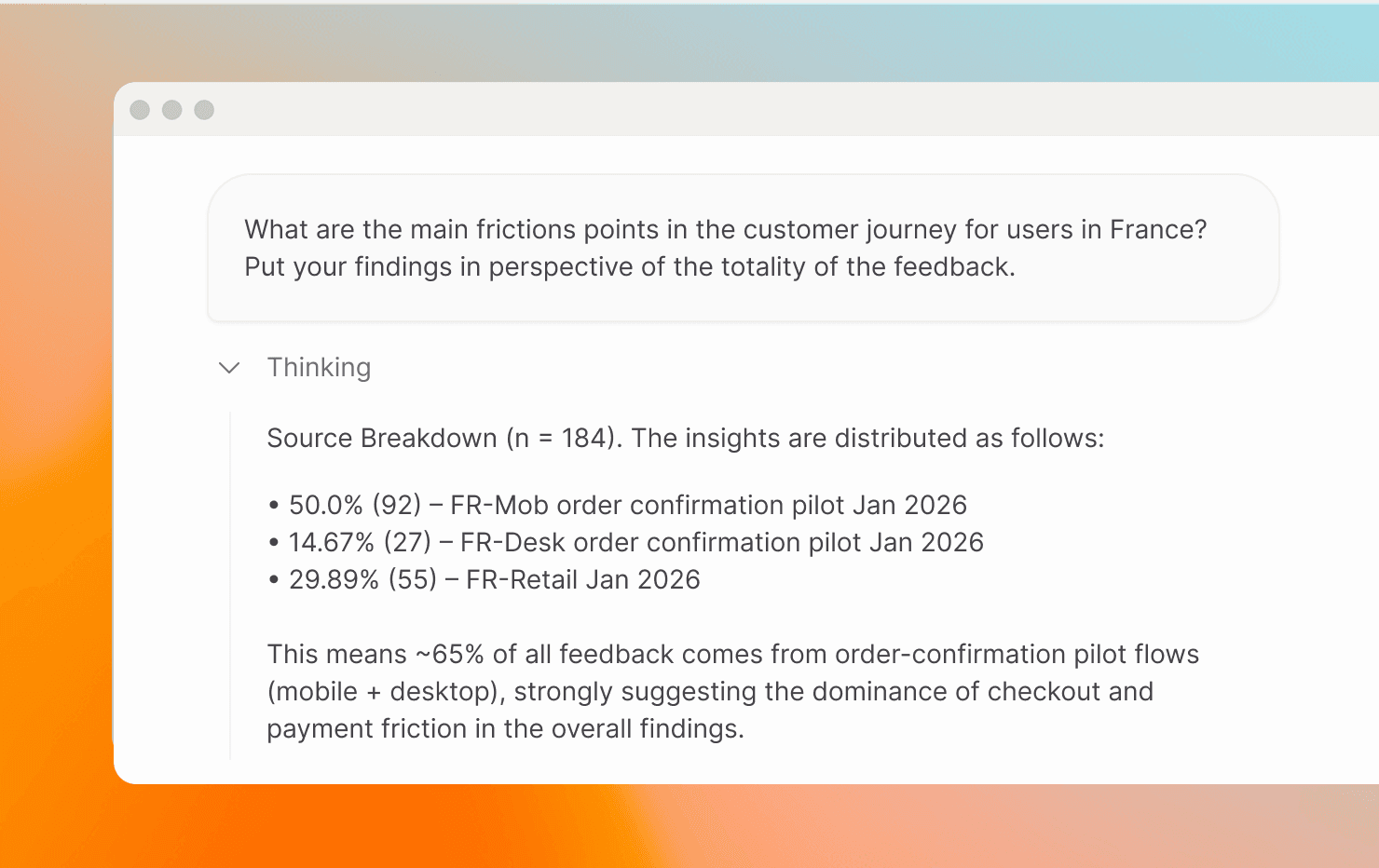
Chat answers can feel overly definitive — meaning the answer can read like a general truth about the whole dataset — even when it’s actually based on a smaller set of data. Chat now has structured awareness of the size and composition of the dataset in Focus, so it can frame Clusters and insights relative to the broader dataset. This helps teams judge signal strength, reduces over-interpretation of small samples, and makes analysis more transparent.
AI suitability evaluation in simulations
Tuning highlight generation, tagging, or clustering often requires expert judgment and trial-and-error. We added an AI suitability evaluator that scores whether generated Highlights are structured and complete enough for downstream AI workflows and explains what passed or failed inside simulations. This makes it faster to iterate toward best-practice setups for retrieval, automation, and agentic use cases.
Transcription models upgraded
Accurate transcripts are critical for voice-based data (like Recordings), especially in multilingual environments. Our transcription pipeline now runs on a new generation of speech models with improved accuracy and better language support. This leads to clearer transcripts, stronger Highlights, and more reliable downstream AI analysis.
Redesigned developer portal with quickstart
Get started with our API like never before. The developer portal was redesigned to offer a clearer structure with dedicated explanatory pages, and a proper quickstart tutorial. Tutorials are backed by automated daily tests to keep docs in sync, resulting in faster onboarding and more reliable integration guidance.
REST API docs improved
Building integrations is easier when docs explain intent, not just schemas. Our REST API docs now focus on when to call an endpoint, what happens behind the scenes, and what to expect immediately versus asynchronously—especially for AI-driven workflows. This makes integrations easier to implement and maintain.
Always show dates
When items happened “today” we previously showed only the time, which made it easy to lose temporal context in lists. We now always show the date (including for today), so it’s immediately clear when something happened without relying on surrounding context.
Soft error handling for tools in chat
When a tool like Podcast generation fails, chat now notifies you and falls back to text instead of failing silently.
Search editor simplified for ease of use
Floating and Fixed search now behave consistently: the “X” is gone, Clear is the only reset, and Floating search applies changes only on Continue.