Better planning in chat, Streamlined navigation, Redesigned setting dialog, Improved data focus experience in chat, Search in AI Jobs, Deep links and timestamps for highlights
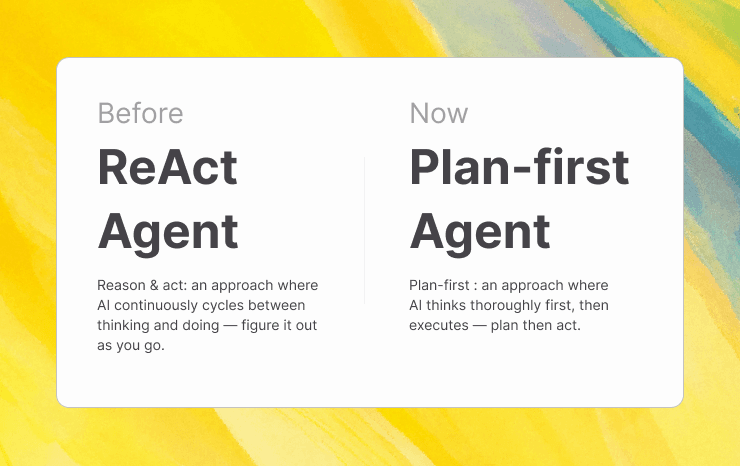
Plan-first in chat for better multi-step analysis
Great analysis starts with understanding what you’re actually trying to learn. This week, we’re introducing a plan-first flow in chat that helps AI get it right from the start. Think of it like a quick planning session with an insights lead before diving into the data. In multi-step workflows (data scoping → clustering → quantification → synthesis), a step-by-step execution can produce incomplete or suboptimal results because the AI agent can’t reason about dependencies upfront. Now, complex questions like "Create a report on the top issues last quarter, group results by theme, and quantify each theme for signal strength” will feel like a breeze.
We're rapidly expanding the our AI's capabilities in this space. Next step: you'll be able to interact and and influence the plan and collaborate with AI.
Redesigned settings dialog
We redesigned the settings navigation around the actual flow of NEXT AI—connecting data, making AI your own, and then asking/getting/automating insights. Related settings are grouped more clearly in way that reflect the user's journey. And the structure now helps users understand where to configure what at a glance. The result is a more intuitive settings experience that will scale better as the product grows.
No more empty focus in chat
In chat, we now always show the number of highlights in focus. And explicitly warn users when a chat data focus is empty — calling out if there's no data to answer your question.
Search in Jobs configuration
As customers scale their use of AI Jobs (i.e. data agents), long configuration lists become hard to navigate. We added search to the Jobs configuration page so you can quickly filter and find the Job you’re looking for—making agent management faster and more scalable.
Streamlined main navigation
We merged the top navigation into the left navigation to free up space for your content. Key actions like inviting users are now always visible, the navigation can be collapsed for even more room, and folder-style items (like Recordings and Highlights) now clearly indicate that they expand/collapse.
Deep links to highlights
We now support deep links to individual highlights in clusters, chat, and everywhere. You can bookmark important moments, share an exact highlight with colleagues, and open the right context instantly.
Timestamps in the highlight dialog
Highlight detail views now show the recording date and time. This adds critical temporal context when reviewing a clip, ticket, or survey response—making it easier to relate feedback to releases or events and compare insights over time with more confidence.